
Navigating to the Sentinel Pulse App
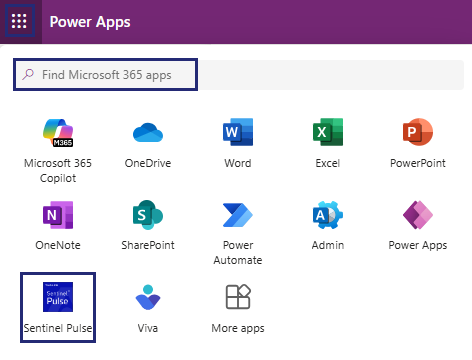
The  App launcher displays all your available Microsoft Dynamics apps.
To open Sentinel Pulse:
1.In the top-left corner, click to open the App launcher.
2.Select the Sentinel Pulse app from the list. If it is not displayed, type Sentinel Pulse in the Find Microsoft 365 apps search box, and then select it from the results.
The following image illustrates the Product Engagement dashboard of the Sentinel Pulse app.
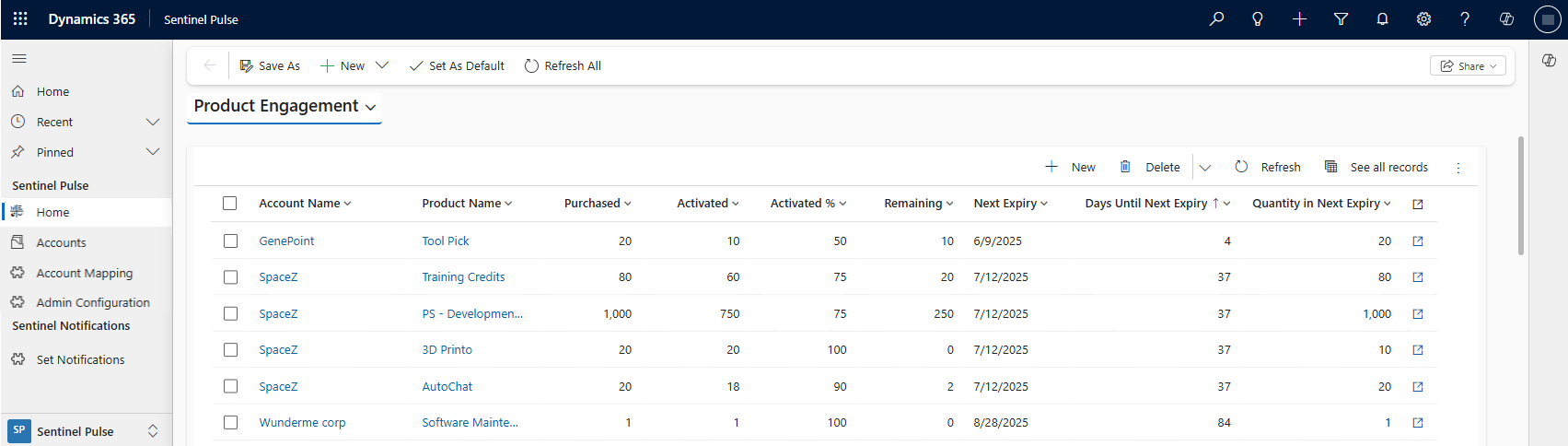
NOTE If you do not see the Product Engagement dashboard, contact your Microsoft Dynamics administrator to verify if the configuration steps were completed and to check your permissions.